


 92
92
Do you want to set up an Bookings Page for your Outlook Calendar?
Start at this page in Microsoft's web based Outlook at the following address:
http://outlook.office.com/bookwithme/me
You'll need to log in with your Wiley X email like you do for Business Central or Outlook if you aren't logged in.
The first time you click it you *may* get an error that you don't have access. Simply refresh the page. After that you should get a page that looks like the following. You need to create a meeting type before you can share the page with anyone. Choose Public or Private and click the "+" sign to the right of the respective category you would like.

After you click the "+" you'll get a menu for meeting options. Choose your options:
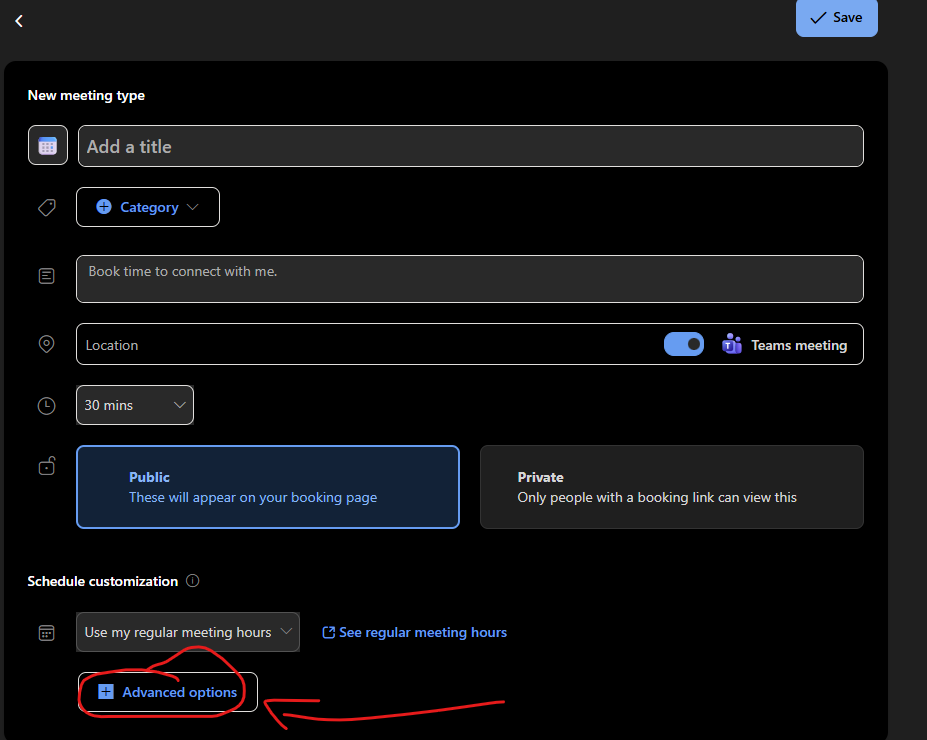
If you want Advanced options such as to send automated reminders click the Advanced Options button and the following menu will appear:

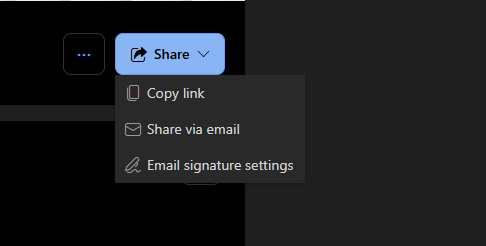
Once you've set those options and saved your meeting you can share the link to whomever you want:

You'll have three options, copy the link, share the page via email, or edit your signature settings. Keep in mind, here we have a default corporate signature. So if you put the link in your outlook signature it'll appear above your corporate signature your email recipients see.
Viola, your "book with me page" is created.

